Building My Own Clipboard History with Rust
4/3/2026
I’ve been using macOS for a while now, and one thing I genuinely miss from my Windows days is a simple clipboard history. You know, that feature where you can quickly access what you copied before without having to click through menus.
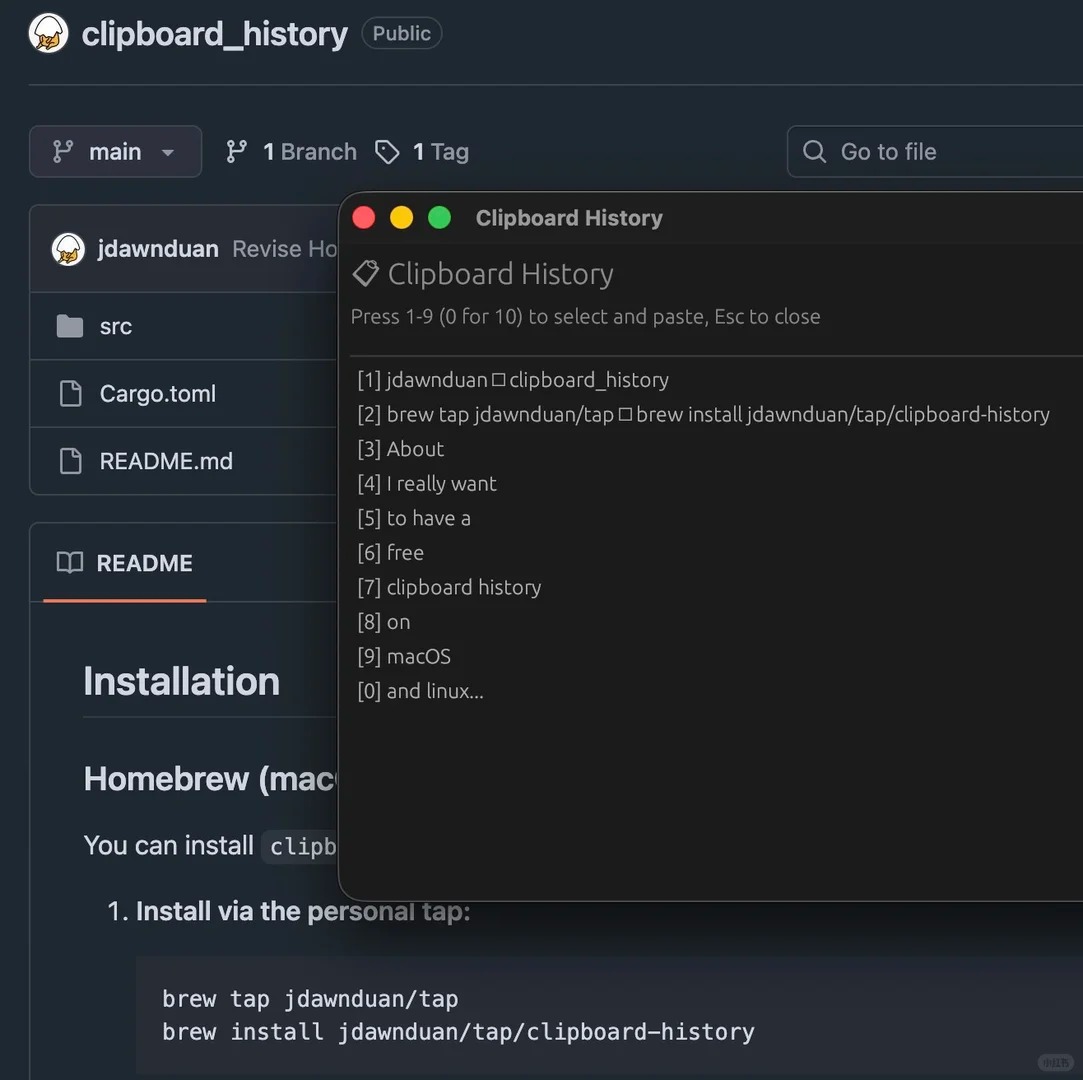
The Frustration
macOS does have clipboard history now, but accessing it requires so many steps. You have to press Command+Space, then Command+4, then scroll through the list and click on the content you want. By the time you’re there, you’ve forgotten what you were looking for. My solution lets you select items by number - no scrolling, no clicking, just press Cmd+Option+v and the number then you’re done.
The Solution
So I decided to build my own. I wanted something that works purely with keyboard selection - no mouse required. A quick shortcut, pick your item, and you’re done.
The Stack
This was a perfect opportunity to practice my vibe coding skills. I used Opencode Big Pickle to help me write a Rust program that:
- Runs in the background and monitors clipboard changes
- Provides a keyboard-driven UI for selecting past items
- Integrates nicely with macOS
I also got to learn about brew tap for installing custom packages - a useful skill for distributing Rust binaries to other macOS users.
The Repo
Check it out: jdawnduan/clipboard_history
The Docs Branch
I also experimented with the codebase-to-course skill (by zarazhangrui) in the docs branch - it’s a cool way to generate an interactive HTML course from a codebase. Great for teaching others how your code works!
What I Learned
This was a fun side project that solved a real problem while letting me practice Rust and explore new tools. Sometimes the best projects are the ones that make your daily workflow a little less frustrating.