
Gude, Delta =) A Post About Delta, Written in Delta
After vibe coding this site with Opencode Big Pickle and Claude Code, I wanted to try something new.
Recently saw Delta from the Zed team. Delta is a place where you and coding agents work together in threads: you chat, the agent edits your project, and you review what it built, all in the same place. Multiplayer, too, so other people (and other agents) can jump in.
So I tried it. And then I made it help me write this post. About itself. Recursive, I know. =) Of course I added some of my parts too, just as if I am working with a teammate. Quite nice actually. Also thanks for the support from Claude API credits so that I can actually test Delta with Claude. Otherwise may need to use some open weight models. Could work well too.
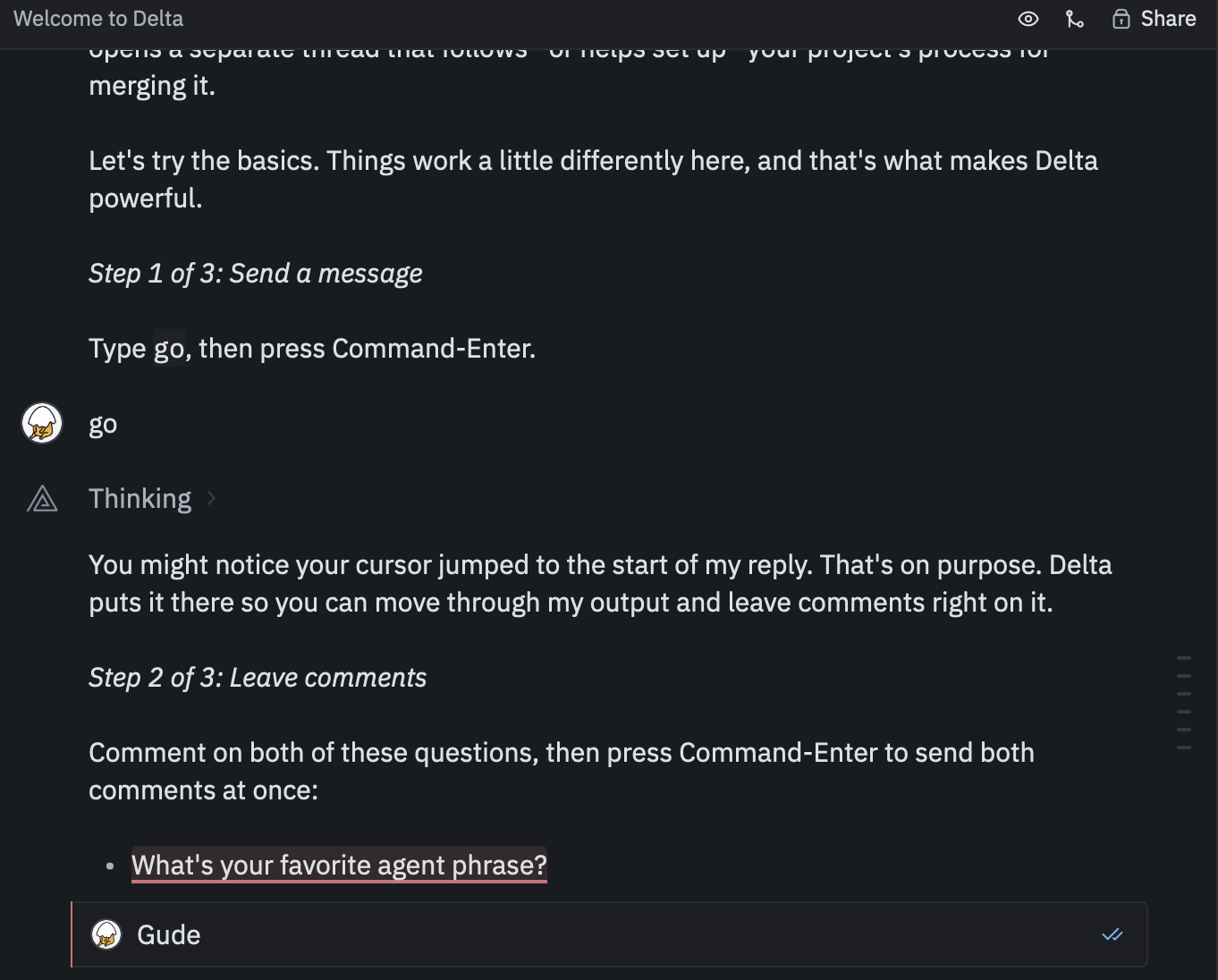
The welcome thread: go, goblins and echo hello
Onboarding is three steps, and each one teaches something that is a bit different from other tools.
Step 1: type go. I did. The agent replied and my cursor jumped to the start of its reply instead of staying in the input box. Thought it was a bug. It’s not. It’s on purpose, so you can move through what the agent wrote and comment on it.
Step 2: leave comments. Instead of typing a new message, you select part of the agent’s reply and comment right there, like reviewing a document. Then Command-Enter sends all the comments at once. The questions were:
- What’s your favorite agent phrase? — “Gude!” Obviously.
- How many goblins should ChatGPT mention in a coding answer? — “Aucune idée.”
The agent replied to each comment separately, right where I left it. Apparently the goblin count is now officially undefined.
Step 3: run a terminal command. Start a message with ! and you get a real terminal inside the conversation. echo hello, Escape, Command-Enter. The agent said hello back. Polite.
”Can you write my blog post?” “Not here.”
Onboarding done, I got ambitious and asked the welcome thread to walk me through the full editing process by writing this post in my hobbies blog.
It said no. Nicely. The welcome thread can only teach you about Delta. It can’t open or edit your project. But instead of just saying no, it gave me a ready-to-paste prompt for a new thread:
Add a new post to my hobbies blog in my_astro_site about my experience working with Delta. First show me where posts live and what frontmatter they use, then draft an outline before writing the full post. I’ll add screenshots later, so leave placeholders for them.
Outline first, screenshots later. Good advice, honestly. Better than what I would have typed.
A new thread that remembers the old one
In the new thread, the first thing I asked was whether it could see my conversation in the welcome thread. It could. It read it back and summarized everything, goblins included.
Then it did what the prompt asked: showed me that my posts live in src/content/hobbies/, what frontmatter they use, and where images go. It also found something I didn’t know: my content schema doesn’t include draft, so draft: true does… nothing. My “draft” Amtrak post has been public this whole time. Oops. =) Anyway, I’ll let it stay public…
Editing by commenting
This is the part I liked most. The agent wrote an outline, and instead of writing “please change the title to blah blah and also section 3 should…” I just commented on the lines I wanted to change.
The title is a good example. It suggested a few. I commented on one: combine this with “Gude, Delta =)”. It came back with two combinations. I commented i like this on the shorter one. Done. That’s how the title of this post was made.
Compared to learning Zed, where I spent a lot of time looking up shortcuts, here it was mostly Command-Enter.
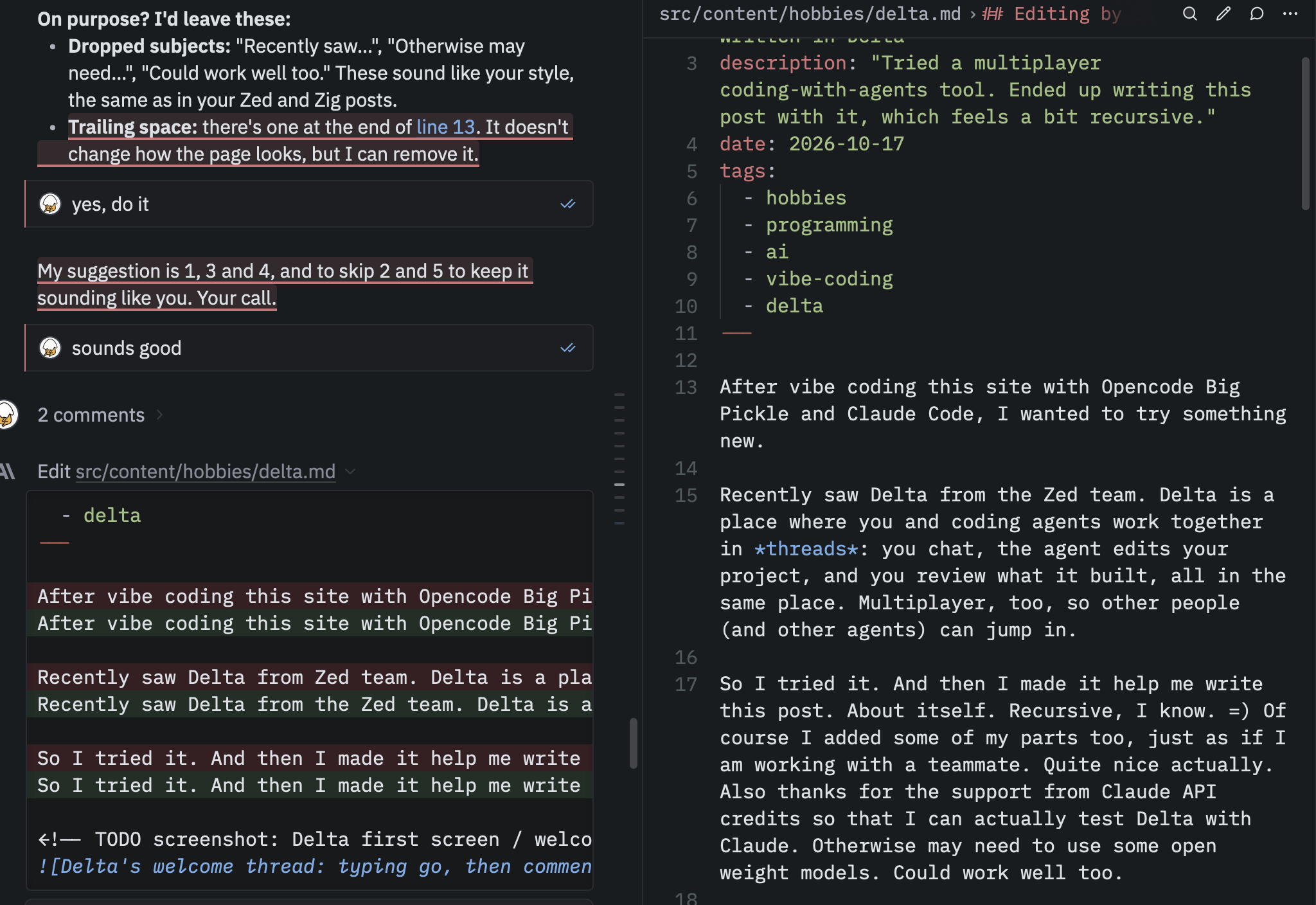
What is even better, I can just write in the code and collaborate almost in realtime by me changing the content and it remembers my change and leaves it not touched, but asking me if some typos need to be fixed. Yeah.
Review and preview
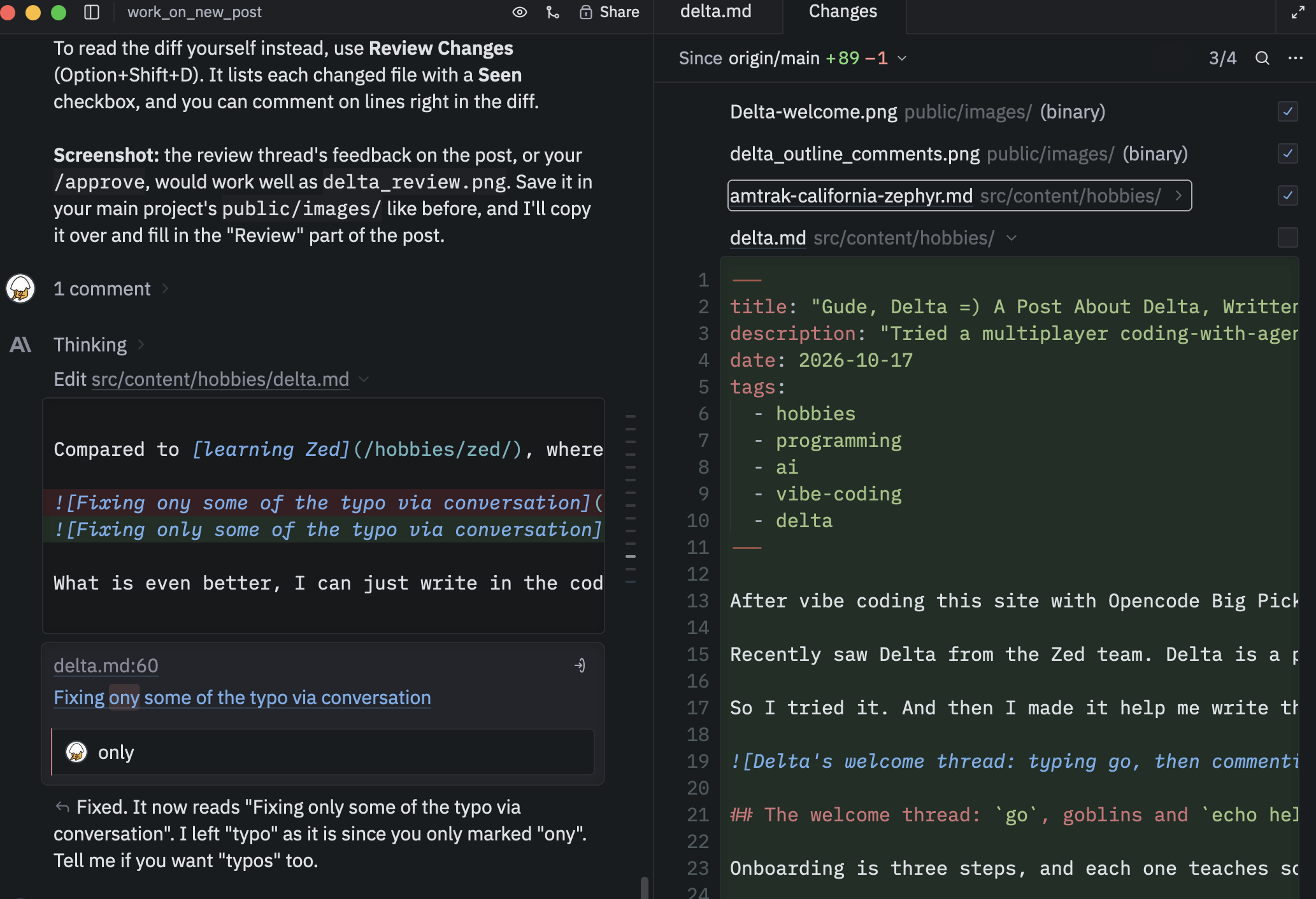
Review. Option+Shift+D opens Review Changes: every file this thread touched, as a diff against main, each with a Seen checkbox. Two screenshots, the Amtrak draft line, and this post. I ticked them off one by one. Found a typo in the diff (“ony”), commented “only” right on it, and the agent fixed just that word. Then I commented “add the s” on “typo”. Also fixed. Reviewing by poking at the diff. =)
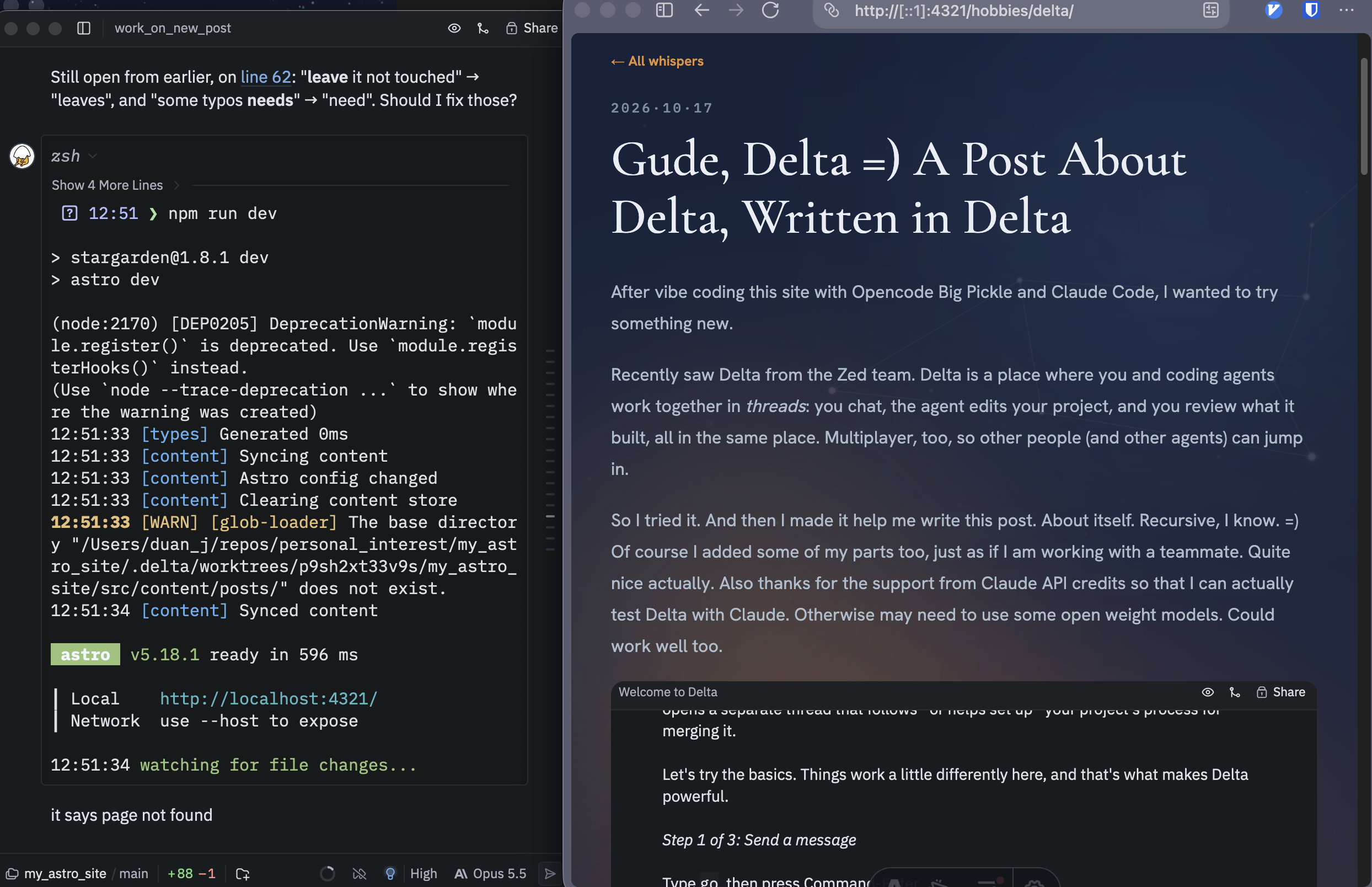
Preview. !, npm run dev, open localhost:4321/hobbies/delta/… page not found. Told the agent. It checked and found two dev servers on port 4321: the one I just started, and one I had apparently left running since Monday in my main project folder, which doesn’t have this post yet. localhost went to the old one. Opened http://[::1]:4321/hobbies/delta/ instead and there it was. Peak detective work, again. =)
Verdict
I am genuinely amazed by how well it works. Very collaborative and I can work alongside with the agent while changing the content. It knows. Also, if I want to change something, I can either edit, or select the specific content and send feedback. Like the tracking changes mode in Word to work with a student on a paper. I like it a lot and hopefully the free credit can support me working longer or hopefully the openweight models or openrouter can help me. In this way I may really be able to learn alongside with my genie. Help each other out…:)
—written in Delta, about Delta, with Delta. =)